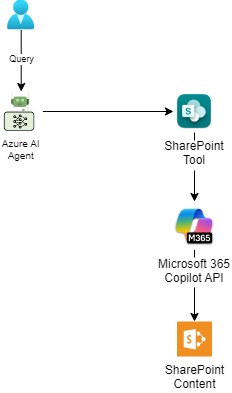
In Part 1, we explored the fundamental shift from manual SharePoint indexing to Azure AI Foundry’s SharePoint grounding tool. We covered the challenges of traditional approaches, the power of Microsoft 365 Copilot API, and the cost considerations for enterprise adoption. This part is the build: connecting a SharePoint site, wiring the tool into a .NET agent, and testing it end to end. Prerequisites Before diving into implementation, ensure you have the following ready: Set up…
I spent weeks building a custom indexing pipeline for SharePoint content: incremental updates, change tracking, governance controls, the works. Then I found out Microsoft had already shipped a tool that does most of it automatically. If you’re maintaining a RAG pipeline against SharePoint right now, you’ll recognize the problem before I finish describing it. Companies store thousands of policy documents, procedures, and knowledge base articles across multiple SharePoint sites. Building an AI agent against that…
When building AI agents for enterprise applications, standard web search often returns irrelevant results that compromise the quality of your solution. During a recent client project, our team needed an AI assistant capable of providing developers with specific documentation and code samples. While Bing Search returned results from various sources including outdated forum posts and unofficial tutorials, we required focused, authoritative content from trusted developer resources. This challenge led us to implement Bing Custom Search,…
Bing Search APIs were retired on August 11, 2025. Any app still calling Bing Web Search or Custom Search directly stopped working that day, and there’s no fallback. Microsoft’s replacement path is Grounding with Bing Search, a tool you attach to an agent in Azure AI Agent Service. A quick note on timing. Azure AI Foundry was renamed Microsoft Foundry in January 2026, and the setup below reflects what Microsoft now calls Foundry Agent Service…
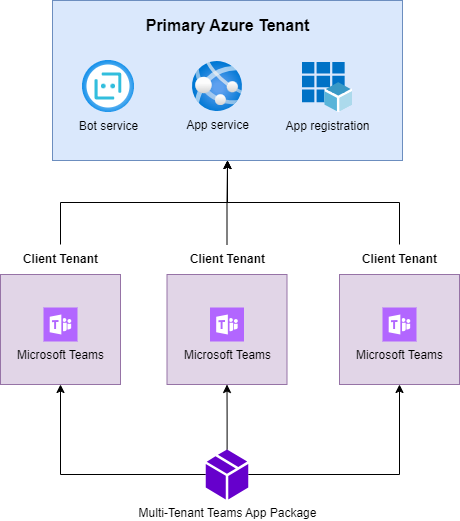
This blog post will delve into the world of Microsoft Teams multi-tenant apps, exploring their benefits, considerations, and the steps to create and deploy them successfully. I’ll demonstrate how to utilize the Teams Toolkit to develop and deploy a Microsoft Teams bot that operates in a multi-tenant environment. Understanding Multi-Tenancy and Azure Multi-Tenant Apps As we will be hosting our Teams apps in Azure, you need to understand how multi-tenancy works before deploying your app.…